Weights & Biases documentation Example Usage
What it is
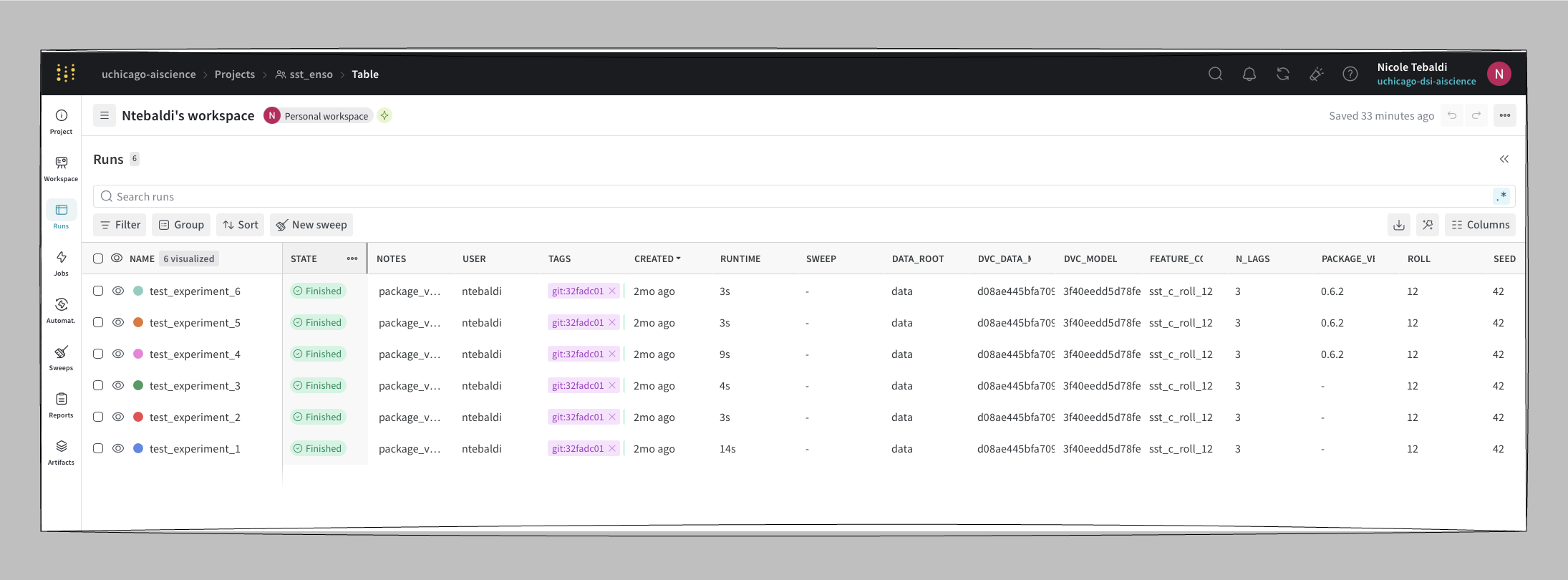
Weights & Biases (W&B) is a cloud-hosted experiment tracker. Results are stored at wandb.ai and every run gets a shareable URL so there is no local infrastructure required for anyone who needs to view them.
Why use it
W&B takes the same idea as MLflow: logs parameters, metrics, and artifacts per run and makes the results accessible from anywhere via a browser link. That makes it the natural choice for distributed teams: a collaborator clicks a URL and sees the dashboards, no local setup, no shared filesystem.
When to use it
Team collaboration with remote members who should not need local setup.
When run URLs need to live in issues, slides, or papers.
When you want the built-in dashboards without wiring up your own.
When storing run data on W&B servers is acceptable.
How to use it
Install
uv sync   # wandb is in pyproject.toml
# or: uv add wandb
Authenticate (one-time)
wandb login
# Stores the API key in ~/.netrc
For CI or containers, set the key as an environment variable instead:
export WANDB_API_KEY=your_api_key_hereConfigure with environment variables
| Variable | Purpose |
|---|---|
WANDB_PROJECT | Project to log to |
WANDB_ENTITY | User or team namespace |
WANDB_MODE | online, offline, or disabled |
WANDB_DATA_DIR | Local directory for run files |
DATA_ROOT | Application-level path to training data |
Run and track
python scripts/train_sst_wandb.py --run-name "experiment_1"
# → Run URL printed to console
What gets tracked per run
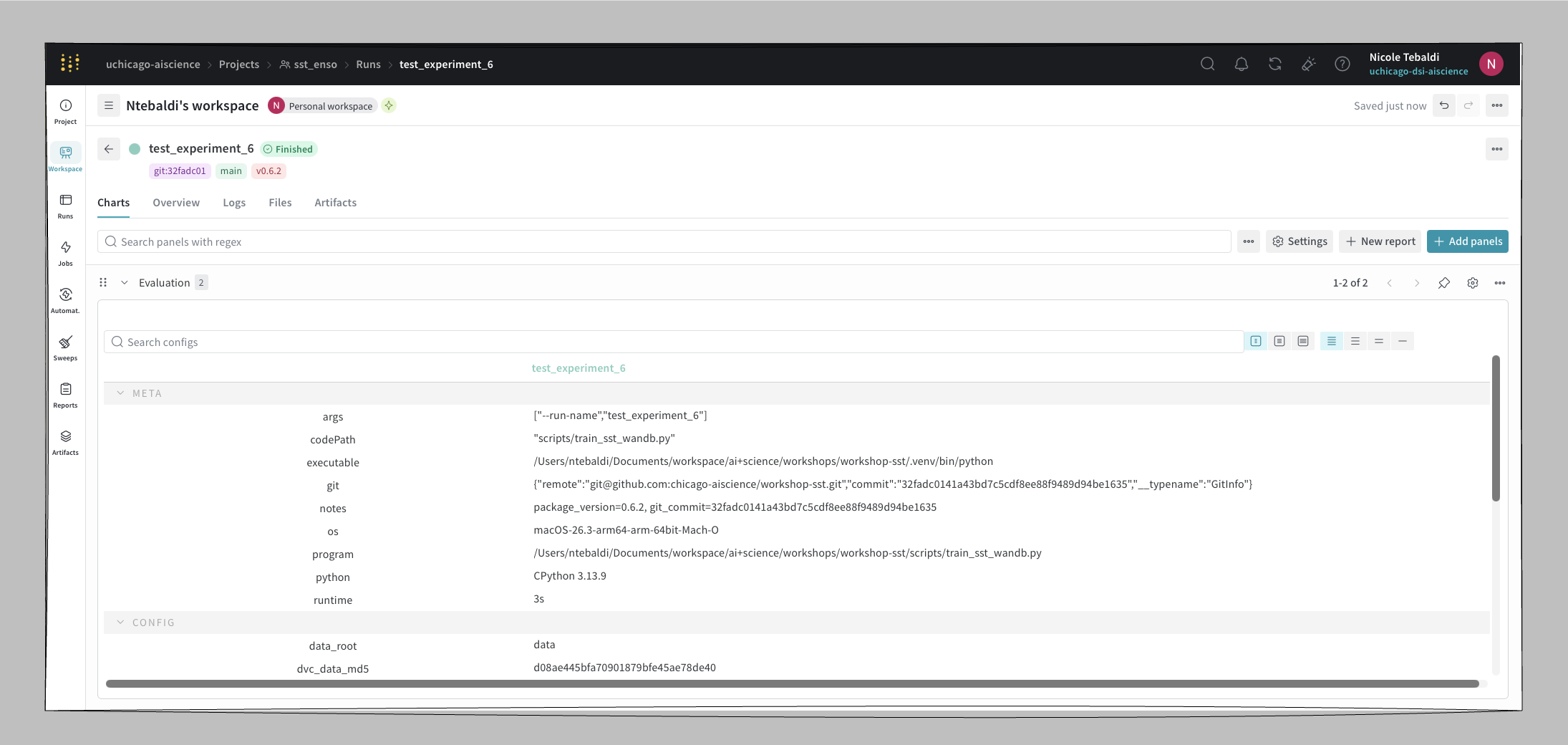
Each run in workshop-sst logs:
| Type | Values |
|---|---|
| Parameters | n_lags, test_size, seed, roll |
| Metrics | R², RMSE |
| Config | DVC data MD5, DVC model MD5, package version |
| Artifacts | config JSON, predictions CSV, feature importance CSV, plot PNG |
| Model | linked to the W&B Model Registry with a version alias (e.g. v0.6.2) |
Load a registered model
import joblib
from pathlib import Path
import wandb

run = wandb.init()
artifact = run.use_artifact("wandb-registry-workshop-sst/models:v0.6.2")
model = joblib.load(Path(artifact.download()) / "model.joblib")
Run offline on HPC
If the cluster has no outbound network access:
WANDB_MODE=offline python scripts/train_sst_wandb.pySync the runs when network is available:
wandb sync wandb/offline-run-*Notes from use
A few things worth knowing before you wire W&B into a training script:
Package version does not log automatically. If you want the library version alongside the run, pipe it through
wandb.configexplicitly (e.g.wandb.config["pkg_version"] = importlib.metadata.version("your-pkg")).Metric charts stay empty for single-point runs. W&B’s line charts expect a series. If your script only logs a final R² and RMSE once per run, the per-metric chart will appear empty. Log per-epoch or per-step values to populate the chart, or rely on the project-level bar chart instead.
The project-level bar chart of metrics is easy to miss in the UI. Look for it on the project’s main dashboard rather than inside an individual run.
Pros and cons
| Pros | Cons |
|---|---|
| Shareable run URLs with no local setup for viewers | Requires an account |
| Rich built-in dashboards | Free tier: 5-model registry limit |
| Offline sync for restricted networks | Data is stored on W&B servers |
| Team roles and project visibility controls | Single-point metrics render as empty charts |
Reference
W&B pairs with DVC the same way MLflow does — see MLflow + DVC and substitute W&B for the tracker.