MLflow documenation Example Usage
What it is
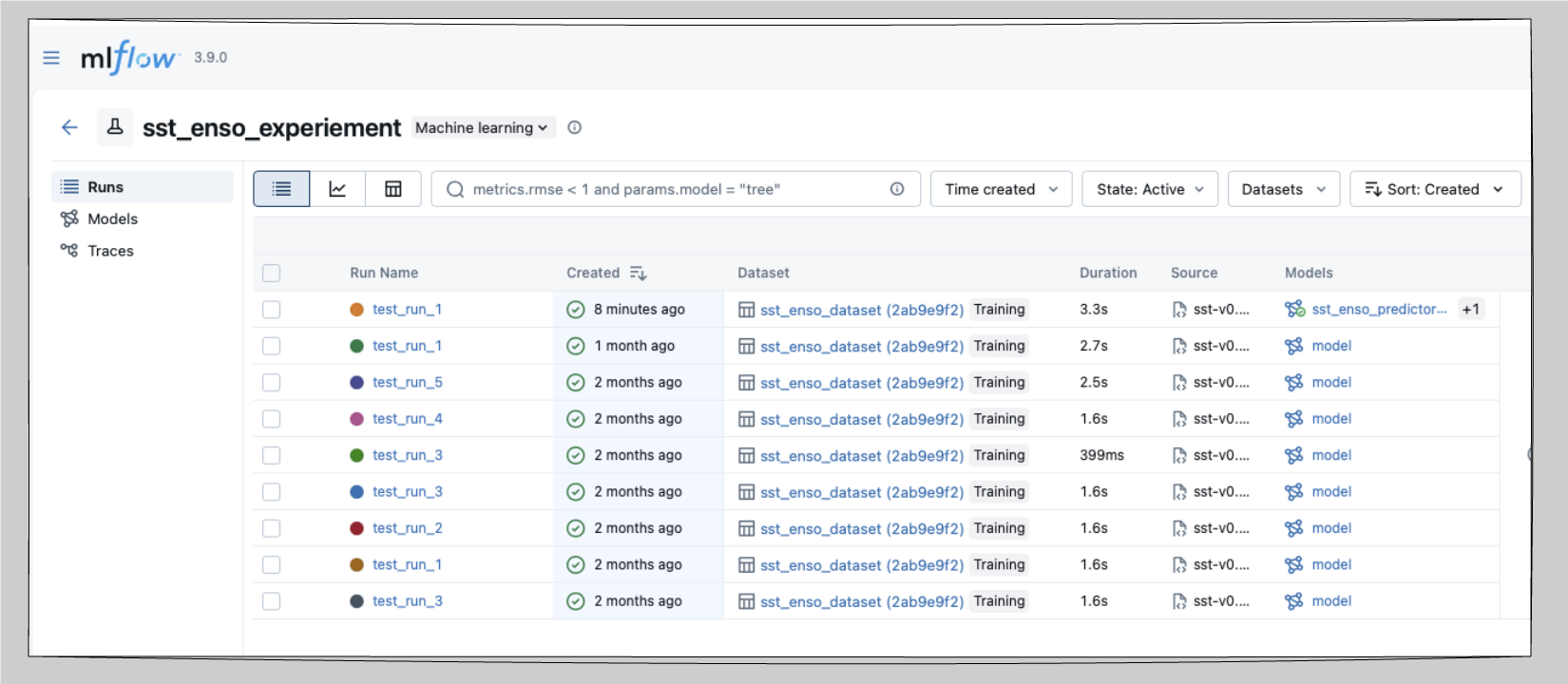
MLflow is a local experiment tracker. It logs parameters, metrics, and artifacts for every training run and provides a web UI to compare them side-by-side. No account or internet connection is required as everything lives in a tracking directory on disk.
Why use it
Without a tracker, comparing runs means maintaining spreadsheets or reading output filenames. MLflow replaces that with a queryable log of every run which includes parameters, metrics, plots, and model artifacts plus a local UI you can open in a browser.
It also ships with a local Model Registry, so you can version named models and load a specific one by alias later.
When to use it
Solo or local work where a cloud account is unnecessary.
Offline HPC environments where outbound network access is restricted.
When you want collaborators to view runs without creating cloud accounts.
When you want a local model registry to load specific model versions programmatically.
How to use it
Install
uv add mlflowConfigure with environment variables
export MLFLOW_EXPERIMENT_NAME="sst_enso_experiment"
export MLFLOW_RUN_NAME="baseline"
export MLFLOW_TRACKING_DIR="runs/sst_enso/mlruns"
export DATA_ROOT="./data"
Run and track
source .venv/bin/activate
python scripts/train_sst_mlflow.py --run-name "baseline"
Launch the UI
Point mlflow ui at the directory that contains your tracking data. Two forms come up in practice:
# Point directly at the tracking directory
mlflow ui --backend-store-uri runs/sst_enso/mlruns

# Or point at a parent that holds multiple experiments
mlflow ui --backend-store-uri /path/to/runs
Open the printed URL (default http://
What gets tracked per run
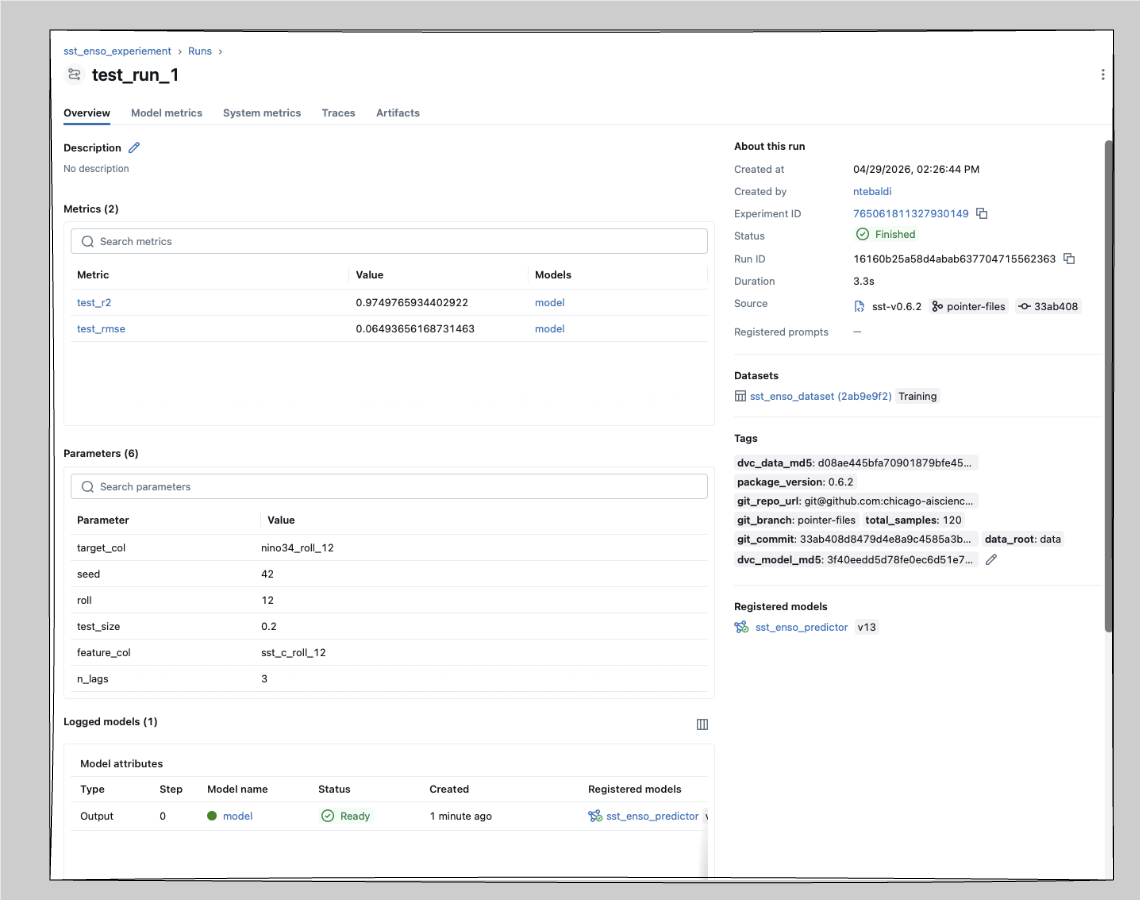
Each run in workshop-sst logs:
| Type | Values |
|---|---|
| Parameters | n_lags, test_size, seed, roll |
| Metrics | R², RMSE |
| Tags | git commit SHA, branch, DVC data MD5, DVC model MD5 |
| Artifacts | config JSON, predictions CSV, feature importance CSV, plot PNG |
| Model | registered as sst_enso_predictor in the local Model Registry |
The DVC MD5 tags are the key to reproducing a past run — see MLflow + DVC.
Reload and re-run a past model
MLflow’s Model Registry makes it easy to load a specific version without hunting through files:
import mlflow.sklearn

# Latest version of the registered model
model = mlflow.sklearn.load_model("models:/sst_enso_predictor/latest")

# A specific version
model = mlflow.sklearn.load_model("models:/sst_enso_predictor/3")

# Using an alias (e.g. "staging", "production")
model = mlflow.sklearn.load_model("models:/sst_enso_predictor@staging")

predictions = model.predict(X_test)
If the model was logged but not registered, you can still load it by run ID:
model = mlflow.sklearn.load_model("runs:/<run_id>/model")Share runs with a collaborator
MLflow stores everything in the tracking directory, so sharing is mostly a question of sharing that directory.
# Option 1: zip the tracking directory and hand it off
zip -r sst_runs.zip runs/sst_enso/mlruns/

# Option 2: put the tracking store on shared or cloud storage
export MLFLOW_TRACKING_URI="s3://your-bucket/mlruns"
# or an NFS path:
export MLFLOW_TRACKING_URI="file:/mnt/shared/mlruns"
For option 2, every collaborator pointing at the same URI sees the same runs live.
Pros and cons
| Pros | Cons |
|---|---|
| No account required | No built-in multi-user access control |
| Works fully offline | Sharing requires zipping or shared storage |
| Intuitive local UI for solo workflows | No hosted dashboards or public links |
| Local Model Registry with versions and aliases | — |
Reference
Next: pair MLflow with DVC for full reproducibility in MLflow + DVC.